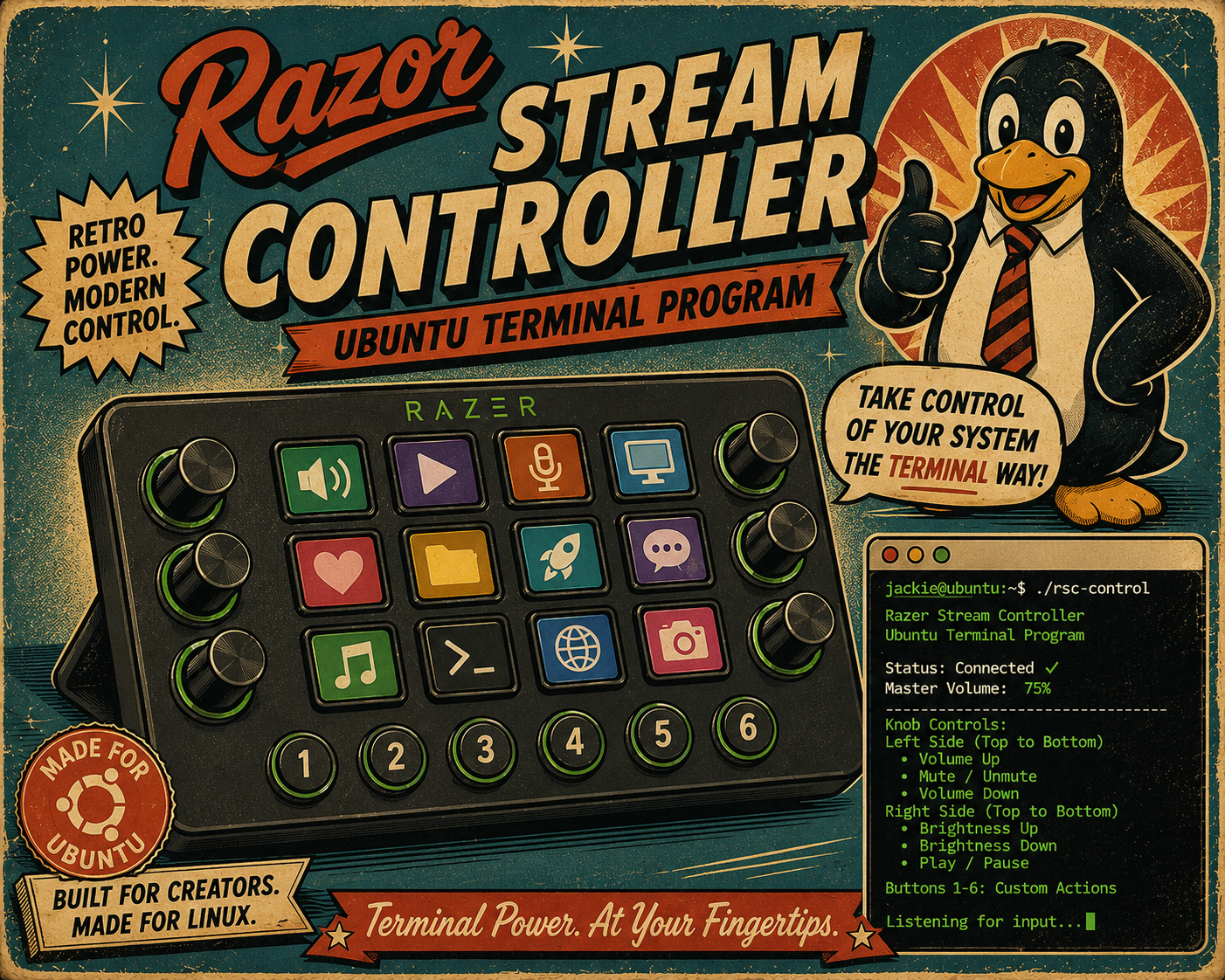
With this Ubuntu Razor Stream Controller Program, you will be able to control the Master Volume of your Ubuntu PC. More updates will be coming soon! Read Article for more information.
I am an Amazon Affiliate. Please read Terms section for more information.
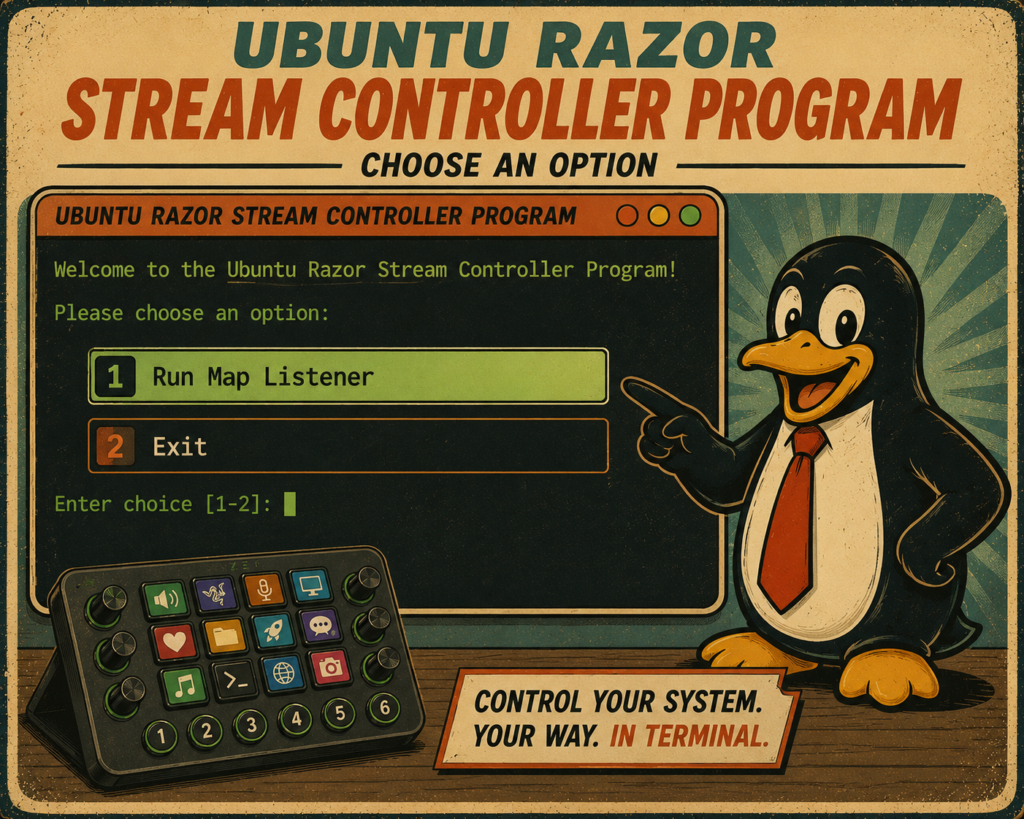
I purchased my Razor Stream Controller and used it with my Windows PC and fell in love with it. However, I was quickly disappointed that there was not a Linux program – So I made one myself. The program is free to download and use. It may not work with other versions of Stream Controllers but it has been working with the model in the image and linked on the Amazon button above.
Basic Program:
At this time I only have a very basic program. It will only allow the user to adjust the Master Volume of the PC which the Controller is connected to.
Install:
- Download the program using the button at the top of this article.
- Move the program to a desired folder such as ‘Home’ or ‘Documents’.
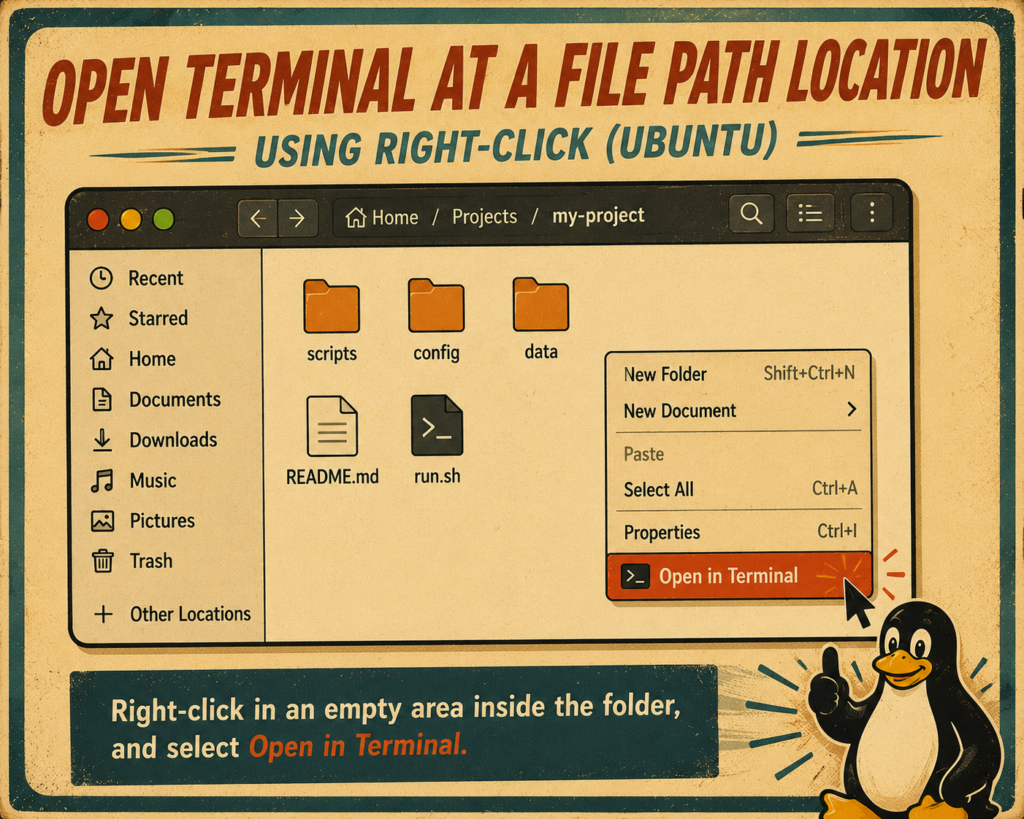
- Right-Click in the folder location which the program is located in and ‘Open Terminal’.
- Run the command below to change permissions.
- chmod +x ProjectsWithJackie.Ubuntu.Razor.Basic.v1.py
Start:
After installing and changing the permissions the program can be started by:
- Opening the File Path in Terminal which contains the program.
- Run the following command in the Terminal Interface.
- chmod +x ProjectsWithJackie.Ubuntu.Razor.Basic.v1.py
You will receive only two options: Run Map Listener and Exit. Enter the associated number and press enter.
Run Map Listener will allow the top left hand side dial to control the PCs Master Volume.
Break:
The program will run a continuous loop of awake commands. Simply press CTRL+ C at the same time to break the command loop.
Terms:
These program’s are free to use for anybody that wishes to use it. They ar designed to help connect and control a Razor Stream Controller though Ubuntu Terminal. I am not responsible for any issues that may occur. I do not own, nor have partial ownership, of Razor and their products. By downloading, running or using these programs, you agree to the following Terms.
These programs are provided “as is” without any warranty. I do not guarantee that they will work on every PC, System, controller, controller firmware or every computer setup.
By using these programs, you understant that it may interact with USB devices, terminal commands, system volume controls, and other local system functions. Test the programs with a test system before use to ensure functionality.
These programs are not officially affiliated with, endorsed by, or supported by Razer, Loupedeck, Ubuntu, Canonical, Linux, Python, or any related company or brand. All product names and trademarks belong to their respective owners.
I am not responsible for damage, data loss, hardware issues, software problems, controller issues, or other problems caused by using this program. These programs can allow for custom commands, users are responsible for the commands they enter.
These programs require third-party tools such as Python, Ubuntu, and Razor products. Those tools are controlled by their own developers and licenses.
I am an Amazon Affiliate and receive commission for any purchases made using, clicking, Amazon Links on this page and website.
Amazon, and other third parties, may use cookies, or similar tracking technologies, when you click affiliate links or view related content. You can control, or disable cookies, through your browser settings. However, disabling cookies may affect how affiliate links, shopping carts, or website features work.