
Bluetooth USB Low-Profile Adapter
$11.99
🤖 Nerdy Support
📖 Secure Payments
🚚 Shipping Included
🔰 60-Day Money Back Guarantee
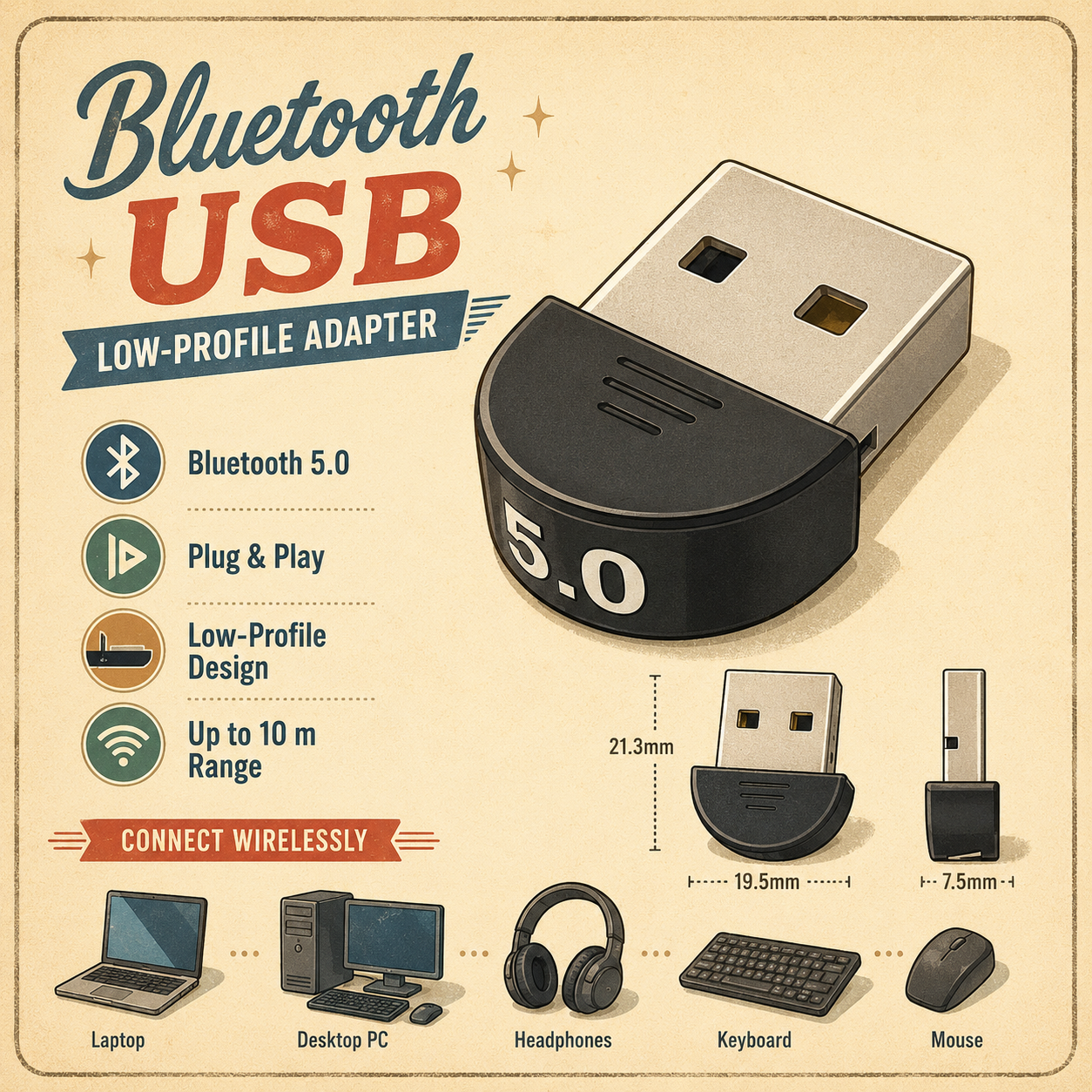
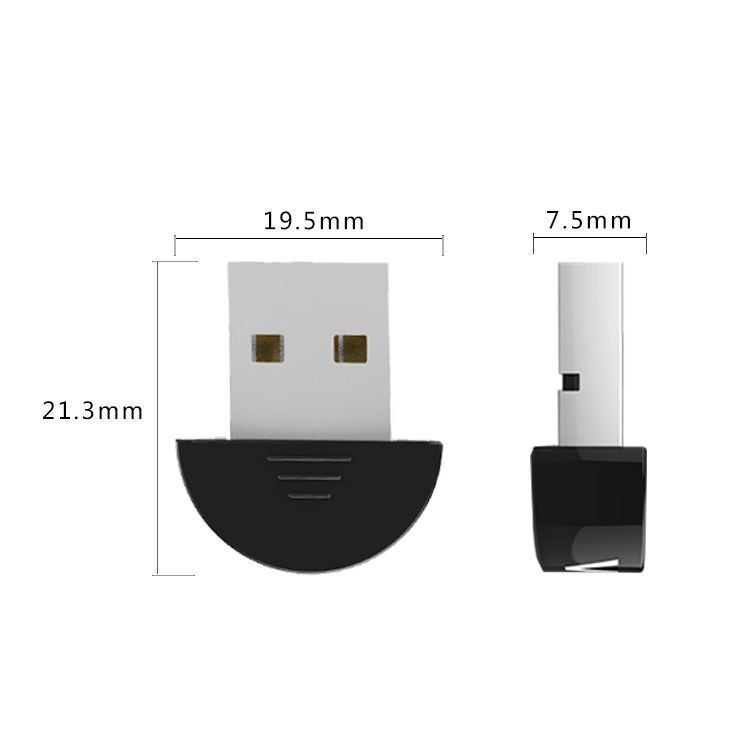
A low-profile Bluetooth USB adapter is a simple way to add Bluetooth capability to a computer that does not already have it built in. Once plugged into a USB port, it can help your PC connect to Bluetooth devices such as wireless mice, keyboards, headphones, speakers, game controllers, and other supported accessories. Its small low-profile design helps it stay out of the way, making it a convenient option for desktops, laptops, and workstations where you want a clean setup without a bulky adapter sticking out.
Low-Profile:
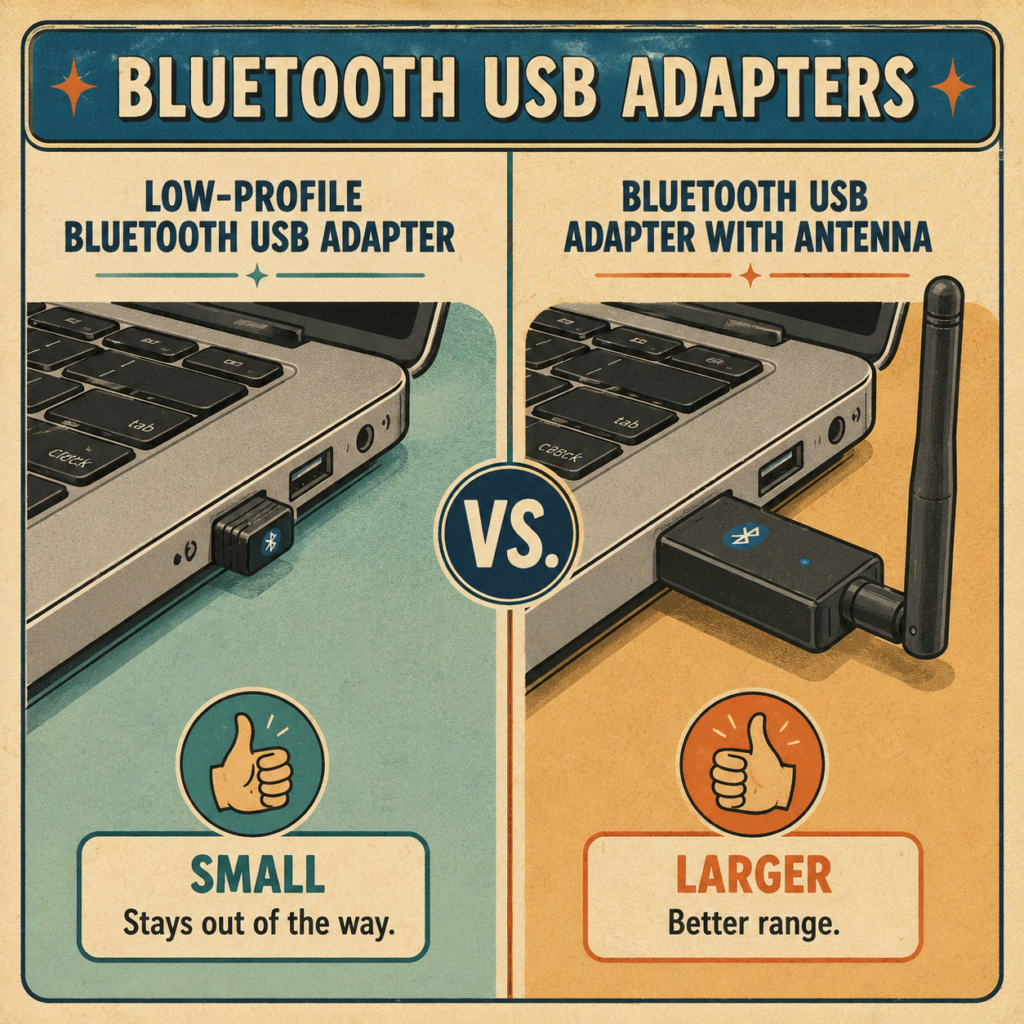
A low-profile Bluetooth USB adapter is useful because it is designed to stay small and out of the way once plugged into your computer. Unlike larger adapters that can stick out and be bumped, bent, or accidentally pulled loose, a low-profile adapter sits closer to the USB port for a cleaner and safer setup. This makes it a good choice for laptops, desktop PCs, workstations, and tight spaces where you do not want extra bulk. Its compact design also makes it easier to leave plugged in while moving a laptop or keeping a desk area neat.
Plug & Play:
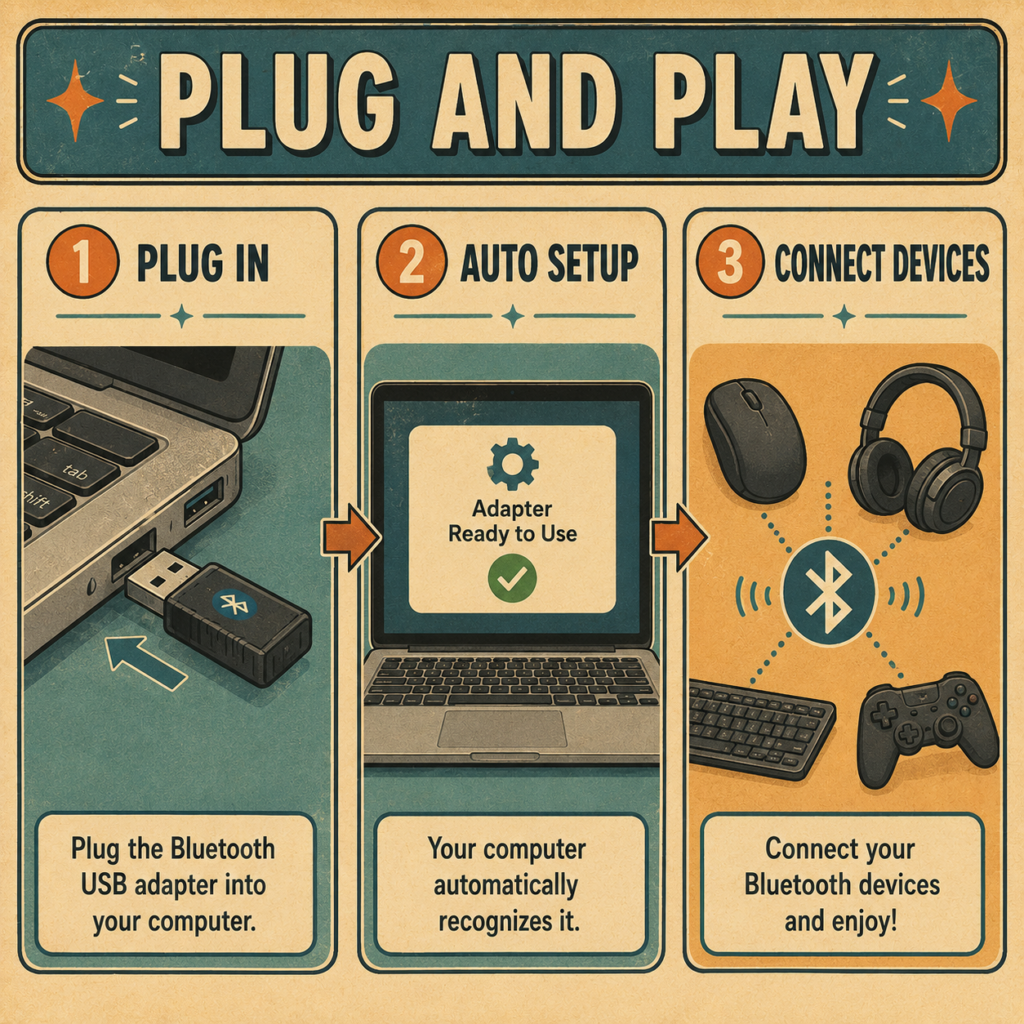
Plug and Play makes the adapter easier to use because customers can simply plug it into a USB port and let the computer detect it automatically. This helps avoid complicated setup steps, extra tools, or opening the computer to install internal parts. For many users, Plug and Play means they can quickly add Bluetooth support and start connecting devices like wireless mice, keyboards, headphones, speakers, or controllers with less hassle.
Quick Bluetooth Connection:
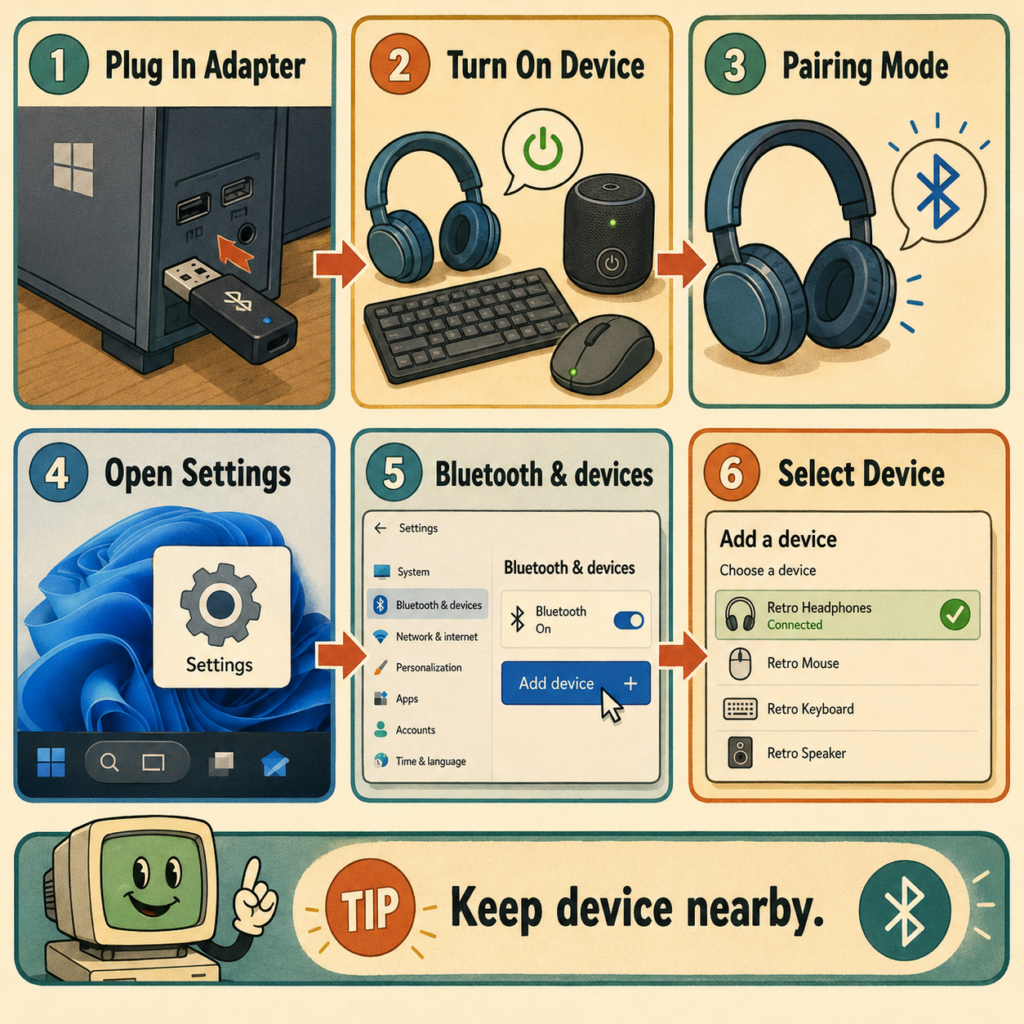
- Plug the Bluetooth USB adapter into your computer.
- Turn on your Bluetooth device (Such as controller).
- Put the device in pairing mode.
- On Windows 11, open Settings.
- Click Bluetooth & devices.
- Turn Bluetooth On.
- Click Add device.
- Choose Bluetooth.
- Select your device from the list.
- Wait for Windows to connect.
Tip: If the device does not appear, make sure it is fully charged, close to the computer, and in pairing mode.
Some Bluetooth devices may have names that are random such as N784158 for example.
Specifications:
- USB-A Interface
- Plug and Play: No Drivers Needed
- 3MB Transmission Rate
- 10M Working Radius
- 5.0 Bluetooth Standard
- 2.4 MHz Operating Frequency
FAQ:
We offer a 60-day return window on all products. If you are not completely satisfied with your purchase, you can return it within 60 days for a full refund. Please make sure the product is in its original condition.
After purchase please allow for 1 – 3 days for processing. You will receive an email when we push your order to our supplier. Then at the moment – shipping usually takes 7 – 9 days.
Check out our FAQ section located in the footer of our website. Here we cover common questions. An account is required to make product reviews.
No. While we would love to provide you with tech support, you do not need a customer account to make purchases.
If you have further questions please check out our dedicated FAQ which can always be found in the footer of our website below! If you do not see a good answer in our FAQ section feel free to fill our our contact form also located in the footer.
About:
As the Family Nerd, my goal is to help non-techie people learn about, and find, the tech that they need. We do this by providing as much information as we can from a Nerdy standpoint. This includes common issues seen with family and friends.
| Color | Black |
|---|